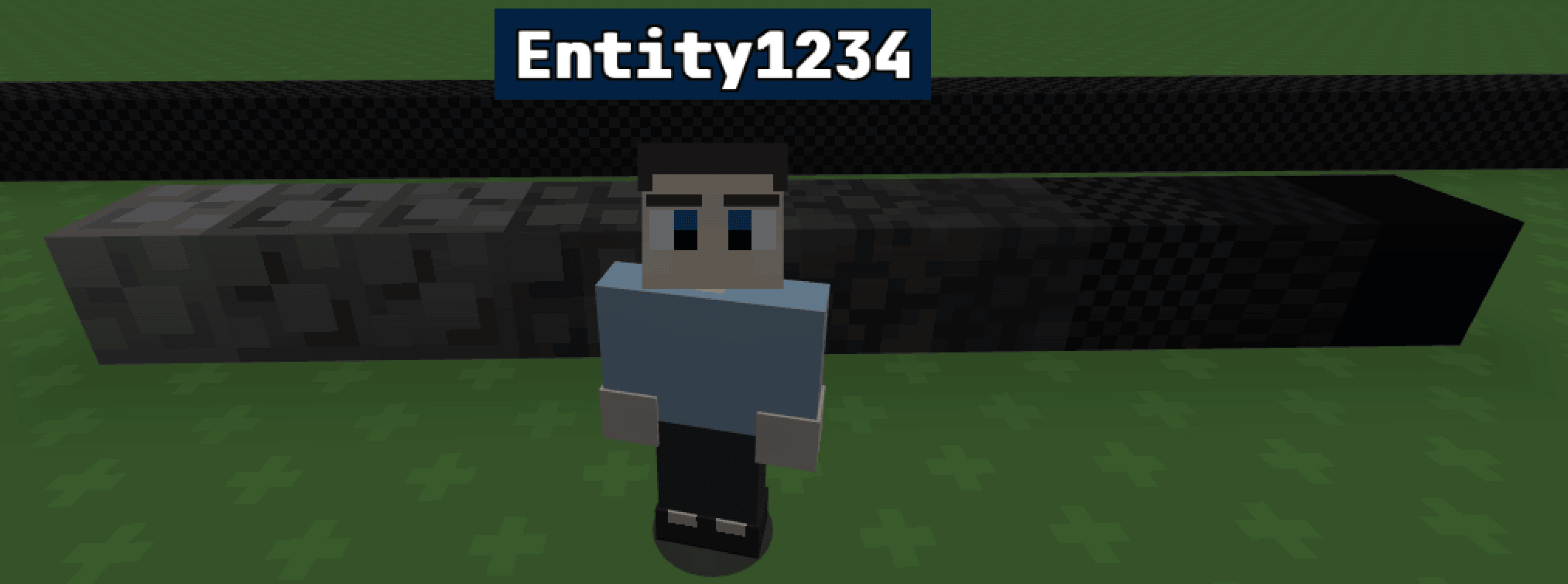
Darkness Tint
World Code
Tags:
Decoration
Creator:
Entity1234
Code:
let tickCounter = 0;

function tick() {
  tickCounter++;

  // Run every 5 ticks (~4 times/sec)
  if (tickCounter % 5 !== 0) return;

  const player = api.getPlayer();
  if (!player) return;

  const y = player.position.y;

  const maxY = 70;
  const minY = -80;

  const clampedY = Math.max(minY, Math.min(maxY, y));

  let alpha;

  if (clampedY >= 45) {
    let t = (70 - clampedY) / (70 - 45);
    alpha = Math.pow(t, 2) * 0.15;
  }
  else if (clampedY >= -5) {
    let t = (45 - clampedY) / 50;
    alpha = 0.15 + Math.pow(t, 1.5) * 0.35;
  }
  else if (clampedY >= -50) {
    let t = (-5 - clampedY) / 45;
    alpha = 0.5 + Math.pow(t, 1.2) * 0.35;
  }
  else {
    let t = (-50 - clampedY) / 30;
    alpha = 0.85 + t * 0.15;
  }

  alpha = Math.max(0, Math.min(1, alpha));

  api.setClientOption("cameraTint", [0, 0, 0, alpha]);
}Instructions:
Paste this code into your world code editor to make a darkness tint to the world. The darkness tint is applied based on the player’s location. Max: 70 Min: -80 (No tint) (darkest). This code was tested in a flat lobby, so the coordinates may be off. To change the coordinates, just edit the 2 values in the “ const maxY = 70;
  const minY = -80; “ section. If you use this code in a world, please give credit.